



Employee Attendance Tracking Software for Field Teams
A practical guide to tracking employee attendance for field teams with mobile check-ins, GPS proof, photo verification, office clocks, approvals, and payroll-ready records.
Read articleProjectCrew brings schedules, office and mobile check-ins, location proof, approvals, rates, overtime, incidents, and payroll exports into one system for teams that work at desks, on site, or on the move.
Attendance proof
Office, GPS, geofence, photo, and offline check-ins.
Labor cost control
Rates, overtime, breaks, approvals, and payroll runs.
Audit-ready exports
Payroll packages, attendance audits, and exception files.
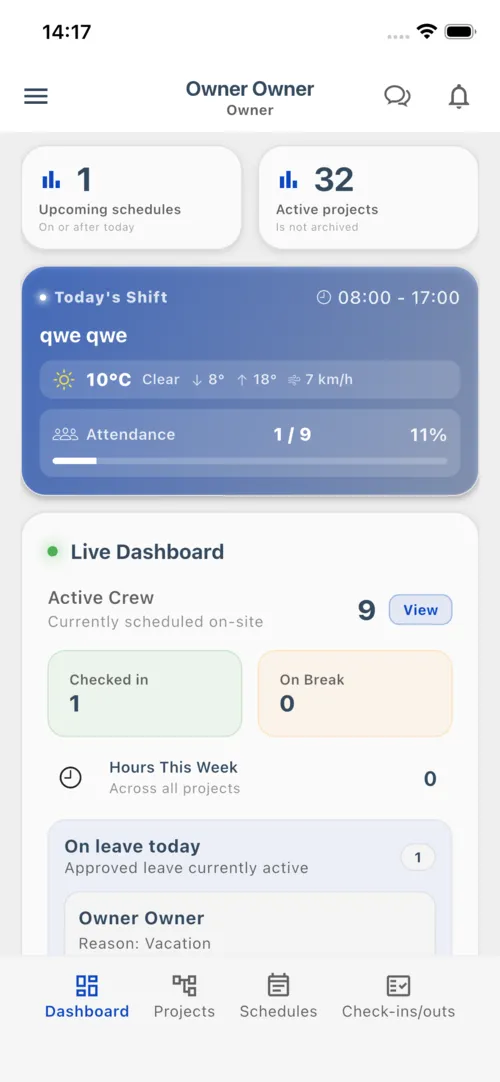
Live workforce
North Zone Operations
24
Scheduled
21
Checked in
3
On break
Attendance audit
GPS + photo proof captured
312h
Ready
The problem
Manual sign-in sheets, chat updates, and paper timesheets leave managers guessing who was actually working.
Missing checkouts, no-shows, unpaid breaks, and overtime disputes slow the close.
Rates, project labor, and overtime need to be visible before payroll is finalized.
Incidents, tasks, handoffs, photos, and schedule changes disappear across messages.
How it works
ProjectCrew keeps attendance workflows simple while giving managers the records they need to approve hours, resolve exceptions, and export clean data.
Create teams, schedules, office locations, work sites, supervisors, tasks, and optional geofence rules.
Employees check in and out from mobile or approved locations with optional GPS, photo proof, break tracking, and offline sync.
Review exceptions, approve shifts and timesheets, calculate regular and overtime pay, then export payroll-ready files.
Why teams choose ProjectCrew
ProjectCrew goes beyond time tracking so office, mobile, and site-based teams can control labor cost, handle requests, document work, and export audit-ready data.
Office locations, GPS coordinates, geofences, photo check-ins, offline sync, and manual adjustment history.
Base rates, project rates, overtime rules, break minutes, earnings snapshots, and payroll runs.
No-shows, missing checkouts, overtime requests, time-off approvals, and stuck timesheets.
Incident reports, progress notes with images, schedule tasks, and project photo records.
Messages, announcements, push notifications, schedule updates, and shift reminders.
Payroll packages, attendance audits, exception reports, and rate history exports.
Who it is for
Use ProjectCrew anywhere you need reliable employee check-ins across offices, shifts, sites, routes, or service locations.
Employee check-ins, check-outs, breaks, and approved hours.
Sites, shifts, attendance, and service records.
Post coverage, check-ins, and location proof.
Routes, customer sites, job progress, and attendance.
Projects, incidents, progress photos, and payroll.
What you get
Simple tools for employees, structured controls for managers, and exportable records for payroll and audits.
Assign employees, supervisors, teams, and tasks across offices, projects, and shifts.
Record time, work location, geofence compliance, and optional photo proof from mobile.
Let employees record check-ins and check-outs when signal is poor, then sync later.
Turn attendance into reviewable timesheets with approved, locked records.
Manage base rates, project rates, overtime policy, earnings, and payroll periods.
Keep approvals visible before they affect staffing, hours, or payroll.
Capture severity, notes, dates, photos, and project progress from the workplace.
Send schedule changes, pinned announcements, reminders, and direct messages.
Track attendance rate, no-shows, missing checkouts, overtime, labor cost, and payroll pipeline.
Mobile first
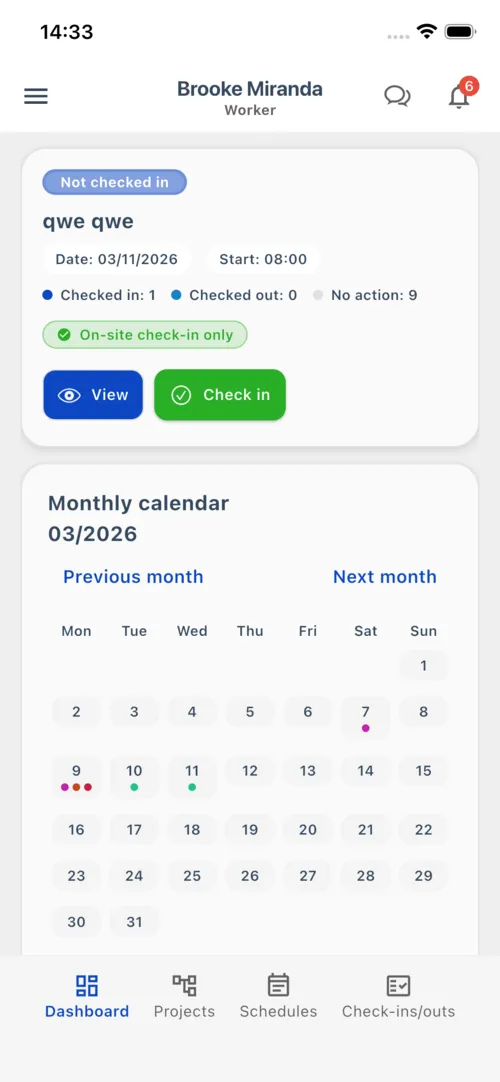
Employees use the mobile app to see schedules, check in, check out, view hours, submit requests, report incidents, and stay updated. Managers get the visibility they need without chasing updates.
Fast check-in/out
One tap records time and location, with photo proof when required.
Offline-ready attendance
Check-ins and check-outs can be saved on device and synced when the connection returns.
Requests and alerts
Time off, overtime, announcements, messages, and notifications stay connected to the work.
Pricing
Individual plans are for one account and are purchased in the mobile app. Company seat billing is for businesses that want centralized web billing for multiple users.
Individual app subscriptions
Use these plans when one person pays for their own ProjectCrew account through the iOS or Android app.
Short project access for one user
Ongoing access for one user
Lowest individual price for long-term use
Use individual plans when each person manages their own app subscription. Use company seat billing when the business wants to pay for multiple users from one web account.
Articles
Practical advice for scheduling, attendance, timesheets, payroll, and field team management.
A practical guide to tracking employee attendance for field teams with mobile check-ins, GPS proof, photo verification, office clocks, approvals, and payroll-ready records.
Read articleA practical guide to crew scheduling software for assigning shifts, organizing teams, sharing updates, and connecting schedules with attendance and payroll-ready records.
Read articleA practical guide to using ProjectCrew for employee scheduling, attendance proof, timesheet approvals, payroll-ready exports, and daily workforce operations.
Read articleProjectCrew gives owners and managers a practical way to see attendance, proof, approvals, labor cost, incidents, and payroll-ready exports in one place.